A Writer's Road Trip Bag Essentials

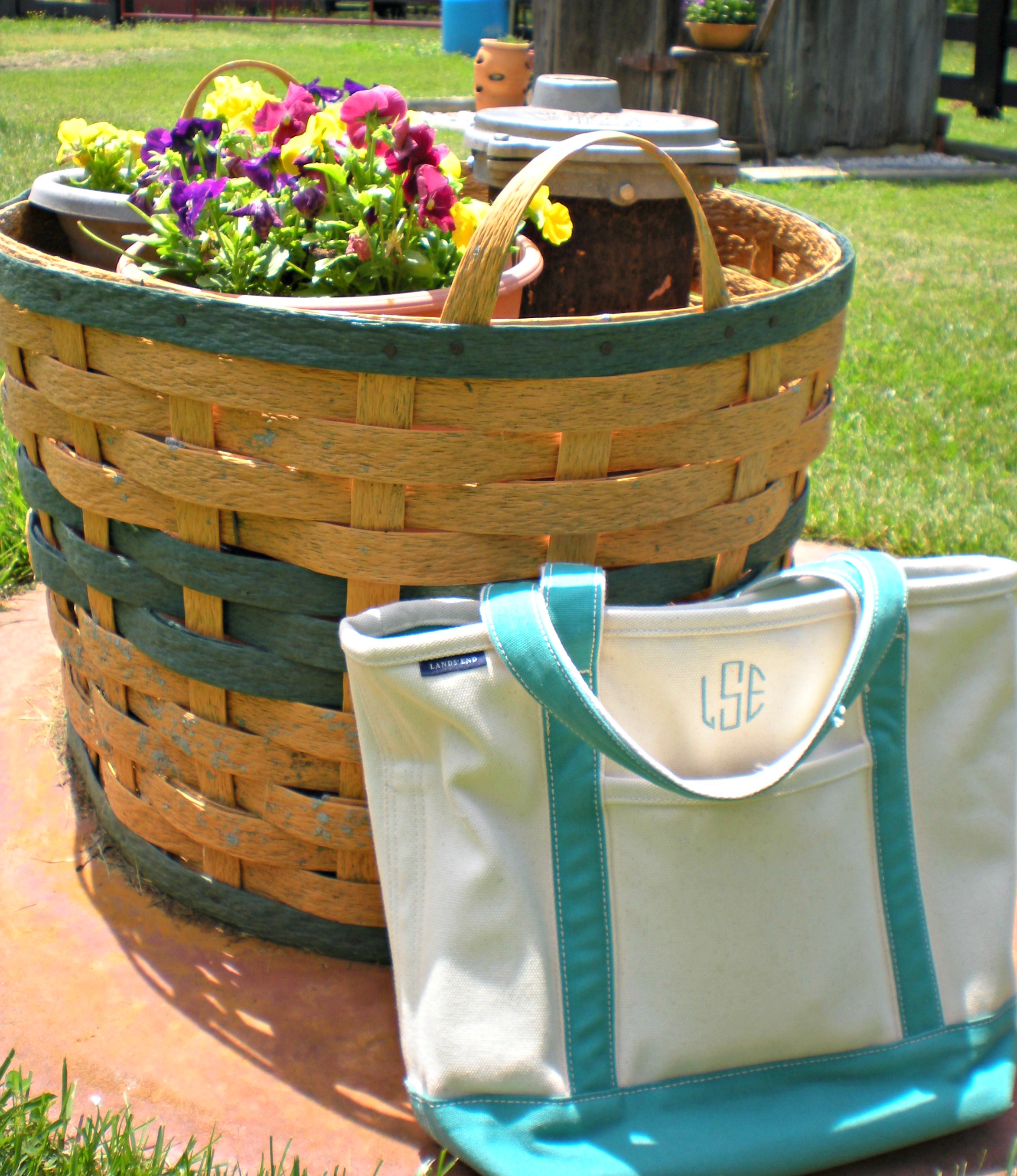
The Bag I'm doing quite a bit of traveling this summer and recently came back from a nine-hour road trip to my grandparents' farm. As I've gotten older, I've brought less and less stuff with me for the ride since a good book and portable DVD player are about all I need. So last week I shoved any and all entertainment into my Lands' End tote and set off for my first adventure!

But of course, I wanted to share with you all what a book lover/amateur writer/college student (I wear many hats) brings on car trips, so that for the entire trip, you too can be entertained! (As long as you're not driving. Oh goodness, please not when you're driving.)

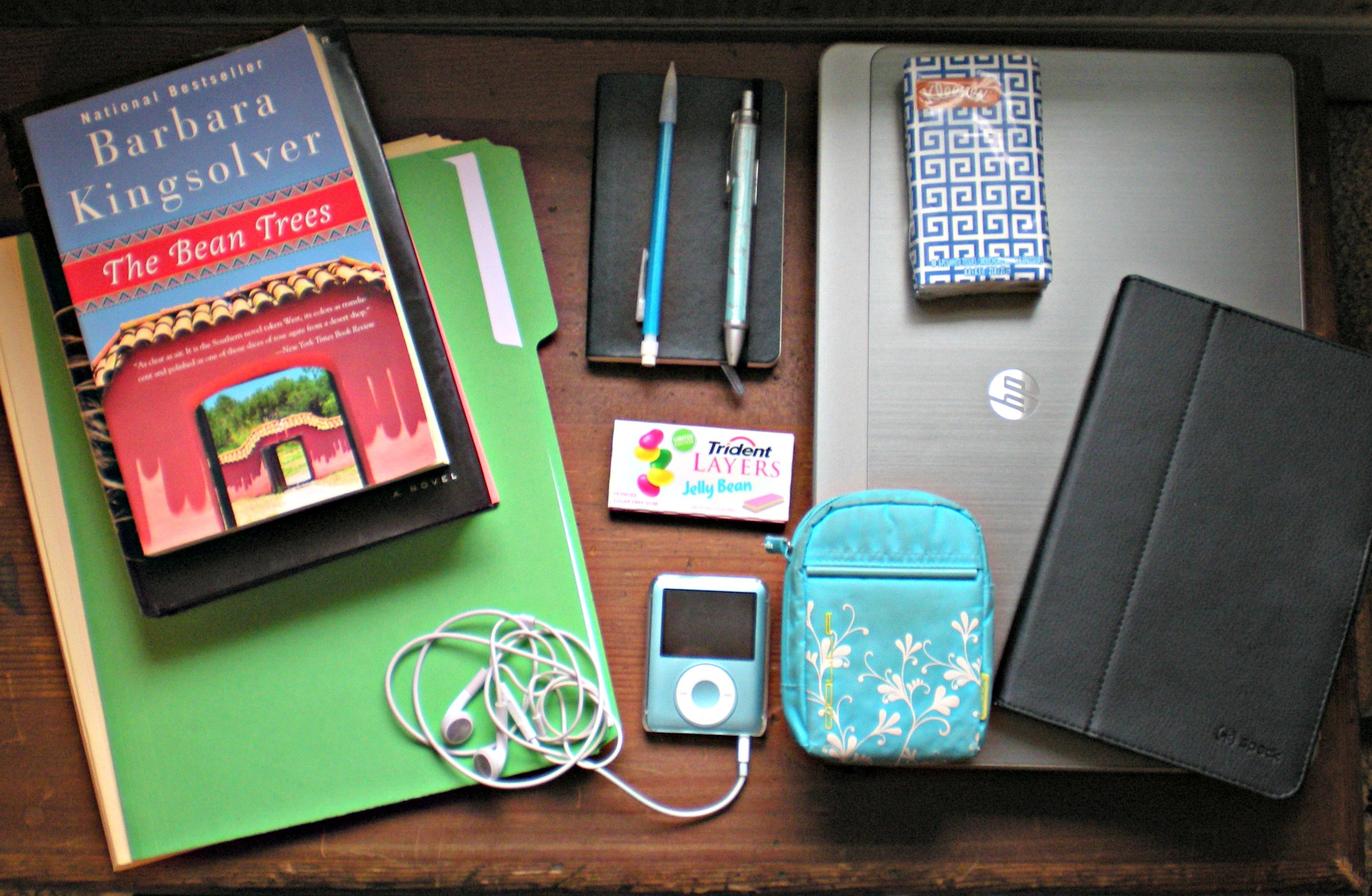
Here's what my bag of goodies entailed:
The Contents

A Book (or two). Not so shockingly, the majority of my time in the car is spent reading. I also love to sit on my grandparents' sun porch and sink into a good book in the afternoon, so enough reading material is a must! This trip I brought Gone Girl (review coming soon!) and Barbara Kingsolver's The Bean Trees. Gone Girl turned out to be enough, but I never want to be caught without a book!

Work. Glamorous, I know :)  The jobs I have this summer can travel, so I brought some along with me for down time.

Notebook, pen, and pencil. A writer never wants to be caught without a notebook! This is my favorite Moleskin that I take with me everywhere. I put a lot of creative writing ideas in it, but also use it to take notes and record blog post ideas. Whatever I want to remember goes in here! The pen and pencil ride around in this bag; you never know when you need a writing utensil.

Gum. The trip from my house to the farm involves a lot of driving through mountains. Gum helps avoid that uncomfortable ear popping which, let's be honest, no one loves.

iPod and Headphones. I don't listen to my iPod a ton since my family tends to listen to CDs in the car, but I like to have it on hand- just in case! My headphones get a little more love, coming out when I want to watch YouTube or listen to music while I work.

Laptop. Because where would I be without it? I work on here, blog, watch YouTube, and practically live inside Word and Gmail.

Tissues. Honestly not sure where they came from. But you never know, right?

iPad. Yeah yeah, I know you can't get internet on an iPad in the car. But I love to play Frozen Free Fall, and would break up my reading or napping with a few rounds.

Camera (and case). I knew I wanted to take some photos while at the farm (like the ones above) and so I needed my camera on hand. I never used to take my point-and-shoot anywhere with me, but now I'm trying to get into the habit of toting it along so that I will actually use it (instead of watching the battery die time after time in my desk drawer).

So there you have it! My family also brings a snack bag on the trip, so I had nuts and Luna bars to dine on (trust me, I eat on car trips ;)). What do you like to bring on car trips?

leeann

To Do in June

JuneGoals I was thinking about where I want to go with this blog and just what I can do with it, when I thought I should start putting my thought into action. I love writing the book reviews, but I also want to mix them in with other posts, like my college tips, adventures, and (coming soon!) "what I use" type posts. I want to grow this blog more, and finally pick a name so that I can advertise with pride. So I decided to set some goals for myself for the month of June, both about this blog and my other summer activities!

  • Post at least two times a week. So far my posting has been pretty sporadic. I've been trying to post as much as possible, but without any type of schedule or plan. Now I have a plan, and I'd like to stick with it. I hope to up this to every other day next month, but June is crazy for me and I like to accomplish my goals :)
  • PICK A NAME. If you don't know, leeanniebananie is just a placeholder name for this blog. I haven't officially decided on what I want to call this blog yet. PLEASE leave me any suggestions you might have. I'm currently looking at my favorite books for quotes to use, so hopefully something sticks out there :)
  • Read three books. So I can review them for you, of course!
  • Keep a work schedule. I have one other blog and two jobs, along with this blog, so I need to schedule out time for each activity. I don't want to fall behind on anything, and I also want to make sure I have time for the things I love this summer!

So those are my goals for June! What are you hoping to do this month? Please leave any name suggestions below, I'd appreciate the help :) leeann

7 Apps that Make College Easier

My iPhone

When I got to college, EVERYONE had an iPhone. And yes, I mean everyone. People walked around with tiny computers in hand, always knowing the instant classes were canceled or when someone wanted to go to Starbucks. Me, I wondered around with a slid-up Samsung, blindly receiving texts only and furiously checking my email on my laptop in the mornings to make sure class wasn't cancelled. I claimed I loved my Samsung, I claimed I would never cave.

And yeah, I caved that January.

I can't say I'm sorry. Yes, sometimes I hate how connected I am all the time (I had to turn off email notifications). Yet it really is helpful to have a sidekick around whenever I need to look something up for class, a meeting, or my homework in the library. I don't tote my laptop around everywhere I go, so my phone often replaces it.

As I've used and worked with my iPhone, I've found a few apps that really make a difference for me at school and for my summer jobs. Here are my favorites for college students:

Reminders. I am an extremely forgetful person when it comes to details. What office is my professor in? When exactly is this research due? Where is my club meeting? Sometimes I even need a reminder just to do something, like email someone a question or bring my laptop to class (and yes, even to wish someone a happy birthday). The pre-installed Reminders app works perfectly as a tool to keep me from forgetting the important things. It will sound an alarm of your choice (mine is vibrate) and flash on the screen just like the clock alarm when you tell it to inform you of a meeting or whatever you needed to remember. Combined with post-it notes and my planner, I now rarely forget anything,

Wunderlist. This is an app that keeps all your to-dos in one place. You can organize them into different categories (work, school, blog) and then set due dates or add notes. Once you finish a task, all you have to do is check it off and it moves to your "completed" section. I use this more in the summer when I'm not looking at my planner 24/7, but it's great as a mobile planner replacement and when I want to keep track of my work assignments for the week.

Evernote. It all started with the old, pre-installed notes app (before the massive overhaul of iOS). I would go to the grocery and pull up my shopping list only to find- NOTHING. My list was gone with the wind, nowhere to be found and I was not happy. So I started researching the best free notes app replacements and Evernote came up. The old versions of this app worked really well for me, keeping my lists neat and in one place. Nowadays it's full of features I don't want, like attachments to your notes, crazy placement in the app, and too many organization options. I still keep my notes in this app, but I have to swim through the extra features sometimes. I've been testing the new version of the Notes app, to see if it won't delete my notes, but for now I place my trust in Evernote.

All the organizing apps, in one convenient location!

"Your Bank Here" App. Wherever your money is, get the app. I can't tell you how many times I've had to frantically check my balance at a restaurant or in the line of the local ice cream place to make sure I had money on my card. I've never had a problem with security on my bank apps and they help me keep track of my spending.

The Weather Channel. Since we're always walking outside, most college students are obsessed with the weather. The first thing I do every morning is check the weather for the day (rain? cold?). Weather in the Midwest is also fickle, so I might need rain boots in the morning and flip-flops in the afternoon. The Weather Channel makes it easy to see the hour-by-hour weather so I can plan out my day.

CNN (or any news app). It's easy to get caught up in reading assignments and the latest parties and forget about the rest of the world happening around you in college. Having a news app remind you of the important things going on in the world keeps you well-informed and ready to apply the real world to what you learn in the classroom. I like CNN because I can get notifications to pop up right on my lock screen, but whatever your preference for news should provide the same option.

Google Drive. Basically the app version of Google Drive, but in a convenient mobile format! Never stop working on that group project, or be the first to sign up for an event. :) I didn't think I would want/need it, but since I've downloaded the app it really has been helpful.

Of course there are many other apps I love, but these are the ones I use as a college student specifically. What apps make life easier for you?

leeann

Books I Bought: Memorial Day Sale

Something to know about my love of reading: I never bought books, like actual, physical books, until high school. I grew up in a house where if you wanted to read something, you got it from the library where it was free and temporary. My shelves were full of yearbooks, Bibles, and books gifted to me at some point or another in my childhood. Once I experienced the joy of putting my own pencil next to the inked words, I discovered a whole new way to read. And I do love having my own thoughts on each page, along with the possibility of reading a book again whenever I want. Yet my mind is trained to only ever buy a book unless I know I'll like it (such as classics), I really, really want it (i.e. The Fault in Our Stars), or it's secondhand. When I buy a book, it's an occasion.

That's why Half Price Books is my bestie, and when I saw all books would be 20% off Memorial Day I couldn't pass it up. I still restricted myself to only three books, and put the rest on hold at the library :)

The three books I got are as follows:

Books I Bought 1

Gone Girl. After reading Allison Anderson's rave review on this book, I had to read it for myself. She was so enthralled with the novel, and so many people have suggested it before, I'm finally going to tackle it.  The library list was too long, so since I could get it cheap I went ahead and picked it up. I can't wait to dig in! You can also watch Allison's (Amarixe, to the beauty world) mini video review of this book here.

Mrs. Dalloway. I tried Virginia Woolf's To the Lighthouse and couldn't get through it. As in, I never finished it, which is really saying something for me (I strive finish every book I start).  So my mom recommended Mrs. Dalloway as a good second try, and then to read The Hours, a novel inspired by this one, afterwards. Goodreads describes the novel as detailing "a day in the life of Clarissa Dalloway, a fictional high-society woman in post-World War I England." Hopefully I'll enjoy Woolf better this time. I want to like her soooo badly since she's such a famous female writer.

The Bean Trees. After being introduced to Barbara Kingsolver's essays in my women in literature class this past semester, I wanted to explore some of her fiction. According to Goodreads, The Bean Trees is about Taylor Greer, a young woman who "arrives in Tucson, Arizona [with]...a three-year-old American Indian girl named Turtle, and must somehow come to terms with both motherhood and the necessity for putting down roots." I must be honest, I'm starting with this one because it's shorter than The Poisonwood Bible. But I am still looking forward to trying some Kingsolver fiction!

Books I Bought 1-2

Have any of you read these books lately? What did you think of them? I'm looking forward to starting Gone Girl this week. As always, I'll let you know what I think :)

Also be on the lookout for a couple new types of posts soon. I'm still trying different things out, so I'm excited for your feedback!

leeann